Rethinking Your Escape Room Booking Confirmation Email with Conditional Content
Posted in Escape Room Business Management by Mairi Nolan on Wed 9 September 2026
As an experiment: If you take a look at your booking confirmation from the perspective of a player coming to play a specific room, the chances are it doesn’t quite hit how you’d like it to. Most likely it was written back when you first opened your site and not thought much about since. Possibly it’s probably got too much information on it, such as parking instructions for multiple sites, even though your hypothetical player is only visiting one. Maybe a note not to “touch the actor”, even though that’s only really relevant for that one horror room during certain slots. Perhaps the typical confirmation emails include a link to a safety briefing, or information about the rooms, the terms and conditions, a reminder about your cancellation policy, and so on.
We see this a lot with escape room confirmation and reminder emails and we get why it happens - you need to cover every base. You don’t want any player to miss crucial information and show up for their booking unprepared.
So you put everything in just in case!
The trouble is that these sorts of emails are the ones most players stop reading. We (or at least me, writing this article) are escape room players ourselves, and I for one am guilty of skim reading a confirmation email and missing some of the important information. Ideally, you don’t want your players to do that- or worse- ignore the email altogether. Especially if there’s crucial information like “make sure you arrive 15 minutes early” or “the code to enter the building is 35C4P3”.
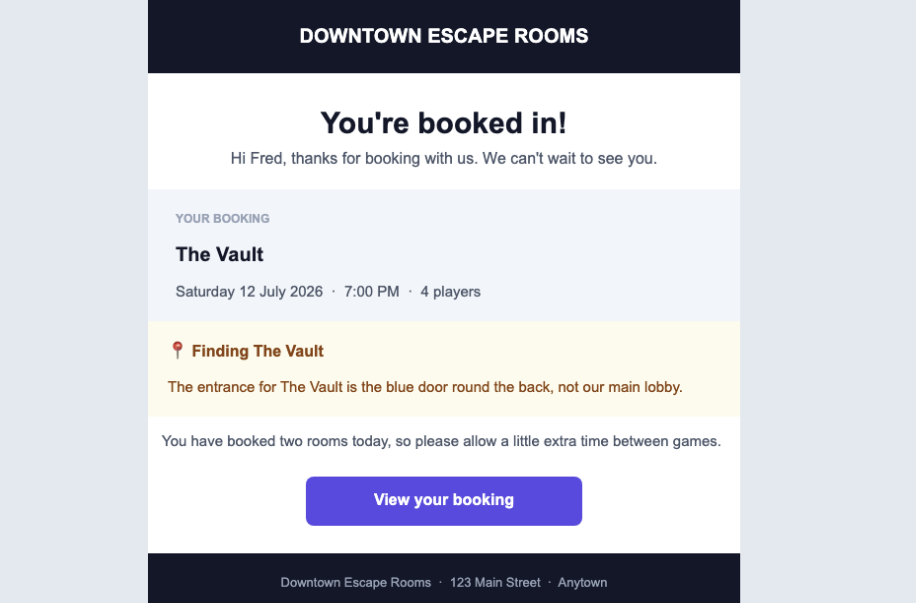
An example of a conditional “location block” that will only show if the player has booked a room at that location.
As you’ll know if you run an escape room, it’s not a simple challenge! And you don’t just have the one audience - your confirmation has to suit multiple different audiences all at once, who all need slightly different information:
A player booking your scariest horror room which has a live scare actor in it is going to need a different confirmation email than a family booking a Christmas-themed pop-up escape room. A player at your West City site will need different location instructions than a player at your East City site. A corporate group needs different information from a couple celebrating an anniversary. And a returning regular doesn’t need to know the basics, but a first-timer might.
Most booking systems aren’t built for that and force you to write one single confirmation email. When you try to write one to cover everyone you end up with something which might be technically correct for everyone but not that useful to any one particular person.
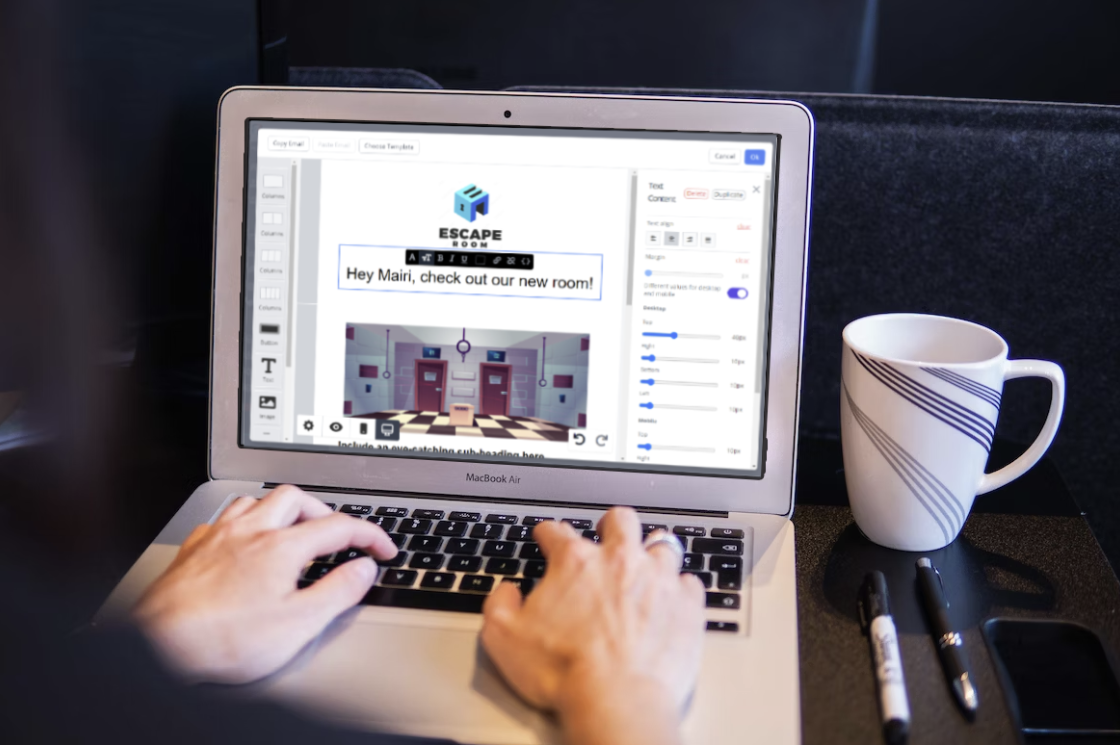
How Could Conditional Email Content Help with This?
We saw a problem and wanted to help come up with the solution, so we implemented conditional content blocks. Available within Buzzshot’s email editor for all users at no additional cost, conditional content lets you build email templates that automatically toggle which blocks it shows and hides based on conditions you can set. These could be as simple as: which game they’re playing, which site they’re playing at, which add-ons they’ve included, whether it's a returning player, what type of booking it’s for, and more.
When you set up your emails, you’ll write content blocks for each possible scenario. Emails are made up of a stack of content blocks (chunks of text, images, buttons, and so on). A condition is then attached to individual blocks to tell the booking system to only show each customer only the parts that are relevant to them depending on what they’ve booked or how they’re interacting with your escape room. If you hide a block with a condition, it’ll disappear leaving the rest of the email untouched.
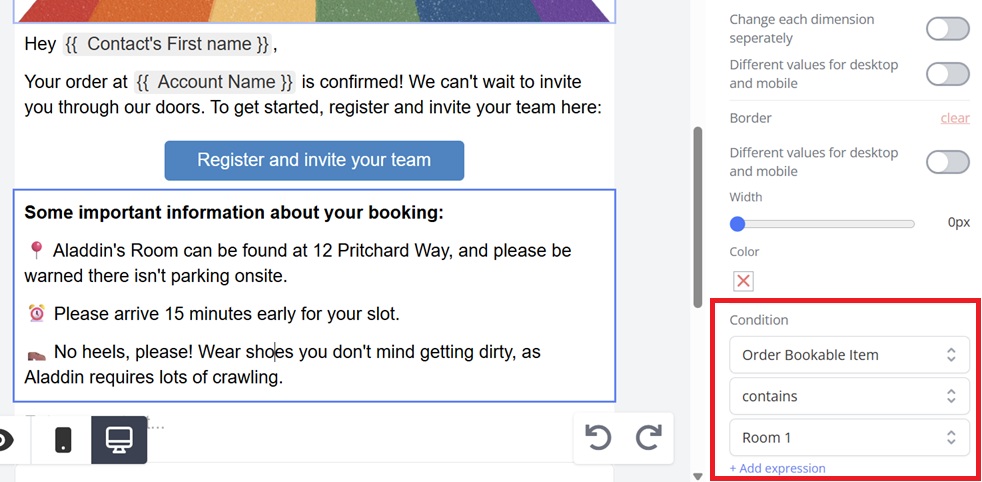
Highlighted here: An example of a simple “Order Contains” condition, to show a block if the player has booked a particular room.
Someone books your horror room? They see the horror room briefing! Someone books your family-friendly room? They see content about what to expect for children and what your kids' policies are. Someone's at your West City site? They get West city’s parking instructions. East? East’s instructions!
Conditions are built from three parts: the detail to check (such as which room is in the order), the rule (contains, is equal to, does not contain, and so on), and the value to compare against (the specific room name, site, or other detail). For yes/no details, like whether a team escaped in time, you can test for true or false. You can also combine multiple conditions using "match all" or "match any" logic for more complex scenarios, or write your own custom expressions.
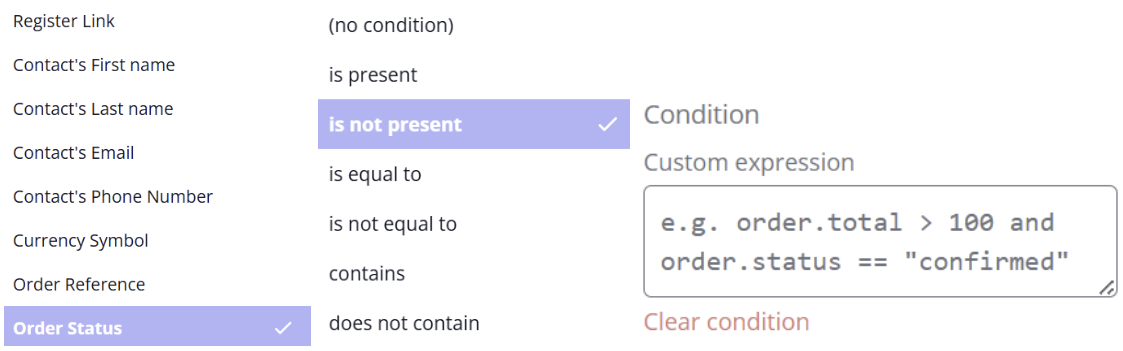
A sample of a few of the conditions and settings you may wish to set up as part of a conditional content block in Buzzshot.
…Though for most emails a single condition per block is all you'll ever need. If you’re using Buzzshot, here’s a more detailed help-desk article with even more examples of where it could be used.
Overall, it makes life a lot easier. No manual list-splitting, no separate email templates to maintain for every permutation of room and site, and no customer having to scroll through six paragraphs to find the two sentences that matter to them.
What Are Escape Rooms Using This For?
As this is a feature we’ve had in Buzzshot for a while, many escape rooms are already using it, and here are some of the more common use cases:
Room-specific briefings: Only show safety or content warnings for the specific game being played, rather than a generic warning that covers every room. If your room has flashing lights, water, or another content risk, you can warn the players who need it and not everyone on the list.
Site-specific logistics: If you run more than one location or if your rooms are spread apart you can use conditional blocks to show parking, directions, and arrival instructions only for the site the booking is actually at.
Waiver Links: Different rooms might have different waiver requirements, and conditional blocks used well means the right link goes to the right player, which shows up in the right place for your GMs to check it in the system’s back end.
Add-on confirmations: Booked a birthday package, a photo package, or drink? Show the relevant details only to the people who have selected it. Similarly, if a player has purchased a digital escape game alongside their booking, conditional content can automatically include their access link or starting point, without that information appearing for anyone who didn't buy it.
First-timer vs. returning players: New players might benefit from a short explainer on what to expect, but your regulars almost certainly don't need it.
…And let's not forget about all the other emails you’ll send your players! Confirmation emails, reminder emails, post-game surveys. They matter just as equally as the confirmation email, and players are more likely to open a well-timed reminder email and read it thoroughly because it lands close enough to their visit that they're actively thinking about it. Making sure the relevant information is in there and easy to find is just as important.
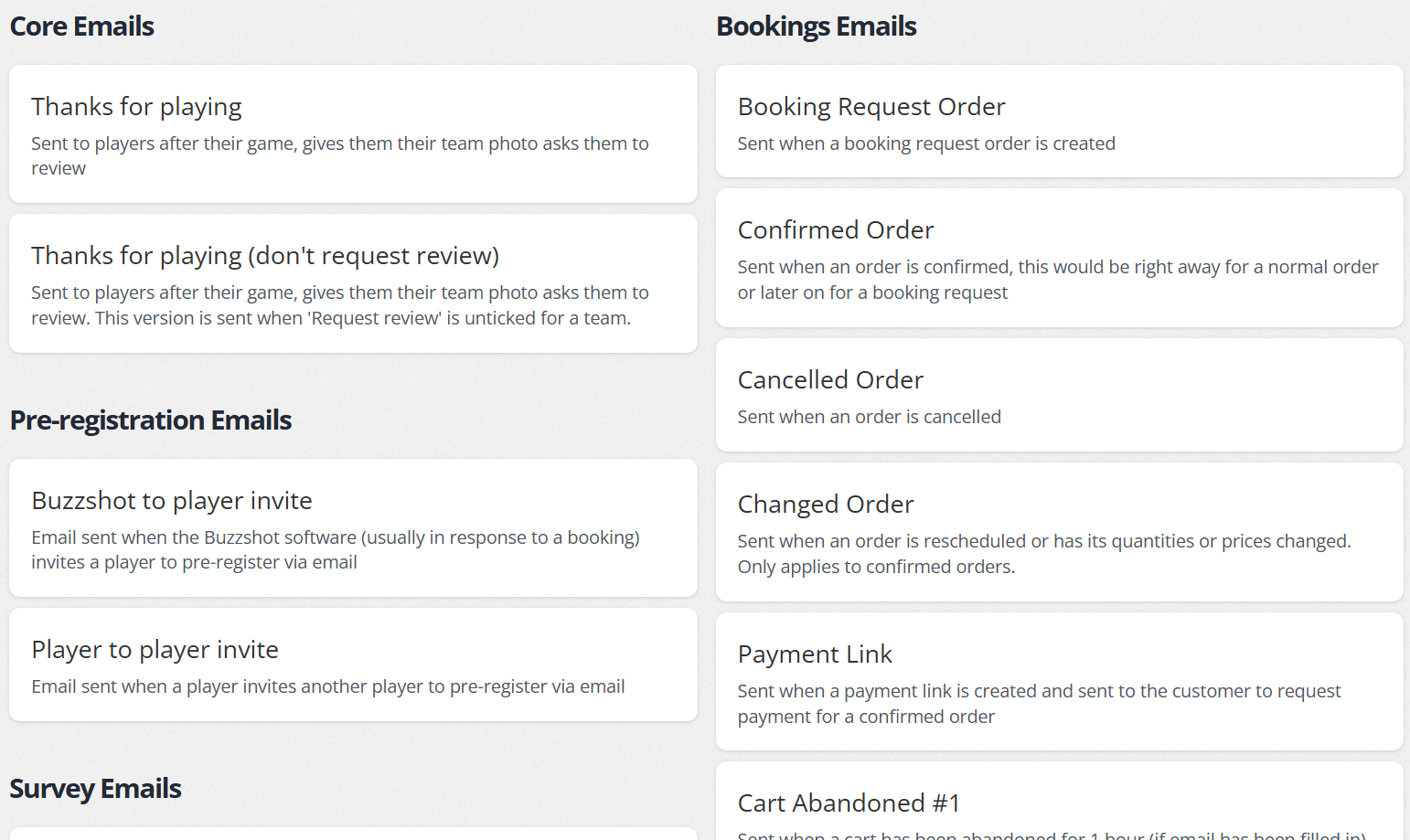
A sample of the automatic emails you can set up in Buzzshot.
A shorter, more relevant email gets read. A longer, more comprehensive one often gets skipped.
Getting Started with Conditional Content
Conditional content is available at no additional cost as part of the Buzzshot confirmation email editor. We’ve written about this feature a few times, including ideas for your automated emails and email personalisation more generally. You can use conditional content in your booking confirmations, reminders, and any other automated email in your marketing flow. If you’re already a Buzzshot user, check out this support desk article to get started setting up your first conditional blocks.
It’s worth taking a few minutes to look at your confirmation email and see if there’s any way you might be able to improve it. Start by identifying one or two pieces of information which genuinely vary by room, site, or customer type, and build those conditional blocks first. Feel free to get creative and experiment with what works for you! If you have any issues, we’ll be happy to help.
Not yet a Buzzshot user? Start a free trial here and see how we can supercharge your escape room business.
