Bulk actions for Groups and Contacts
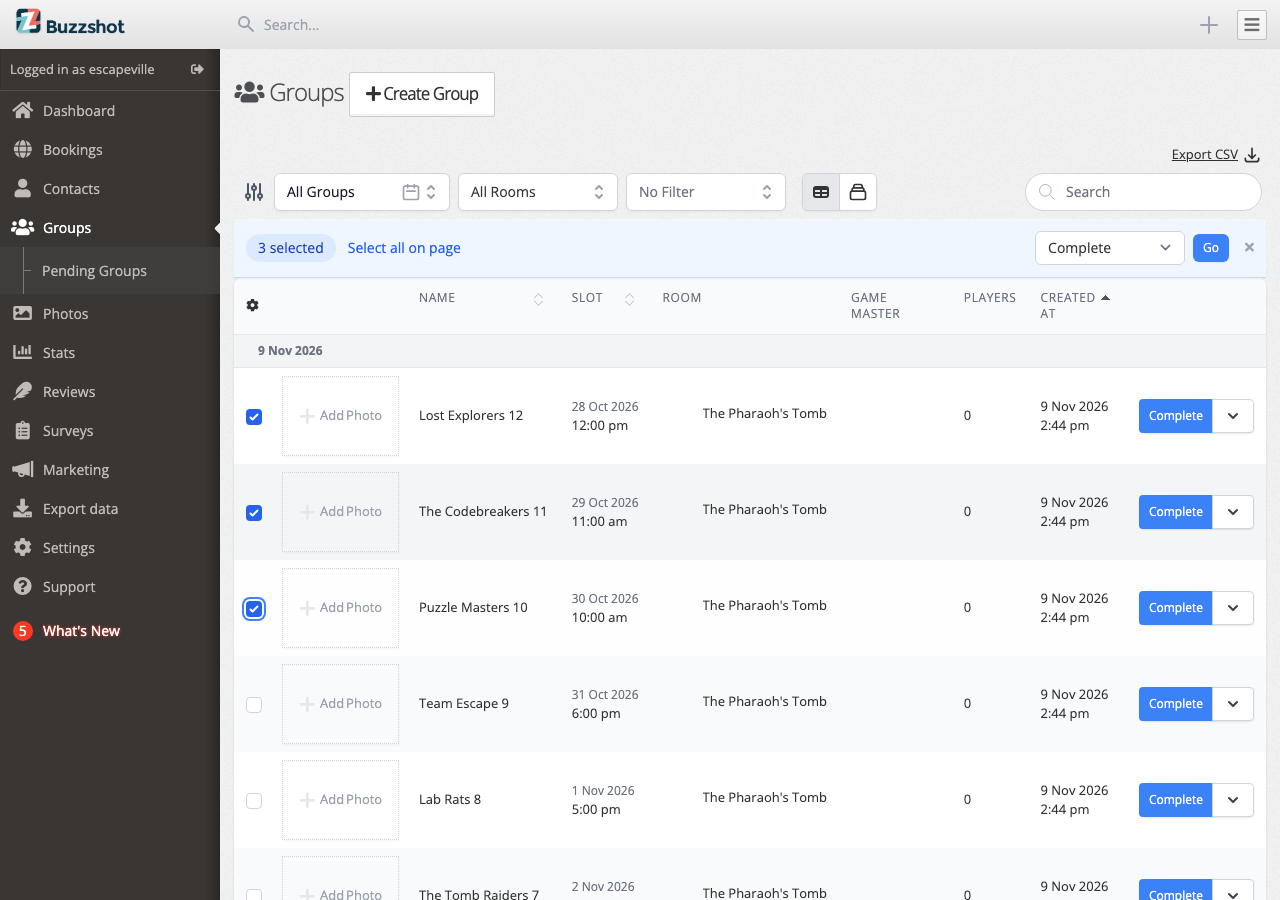
Bulk actions let you change many groups or contacts at once instead of opening them one by one. They are on the Groups and Contacts pages. They work in table view, not card view, so switch to table view if you don't see tick boxes.
The bookings calendar has its own bulk tools for editing, blocking and moving many slots at once. See Bulk Operations in the Bookings Calendar article.
Choosing what to change
- Tick the box next to each group or contact. A blue bar appears at the top of the list.
- To choose everything on the page, click Select all on page.
- To go further, click Select all matching items. This chooses every group or contact that matches your current filters and search, on every page, so set your filters first.
- Choose an action from the menu on the right of the bar and click Go.
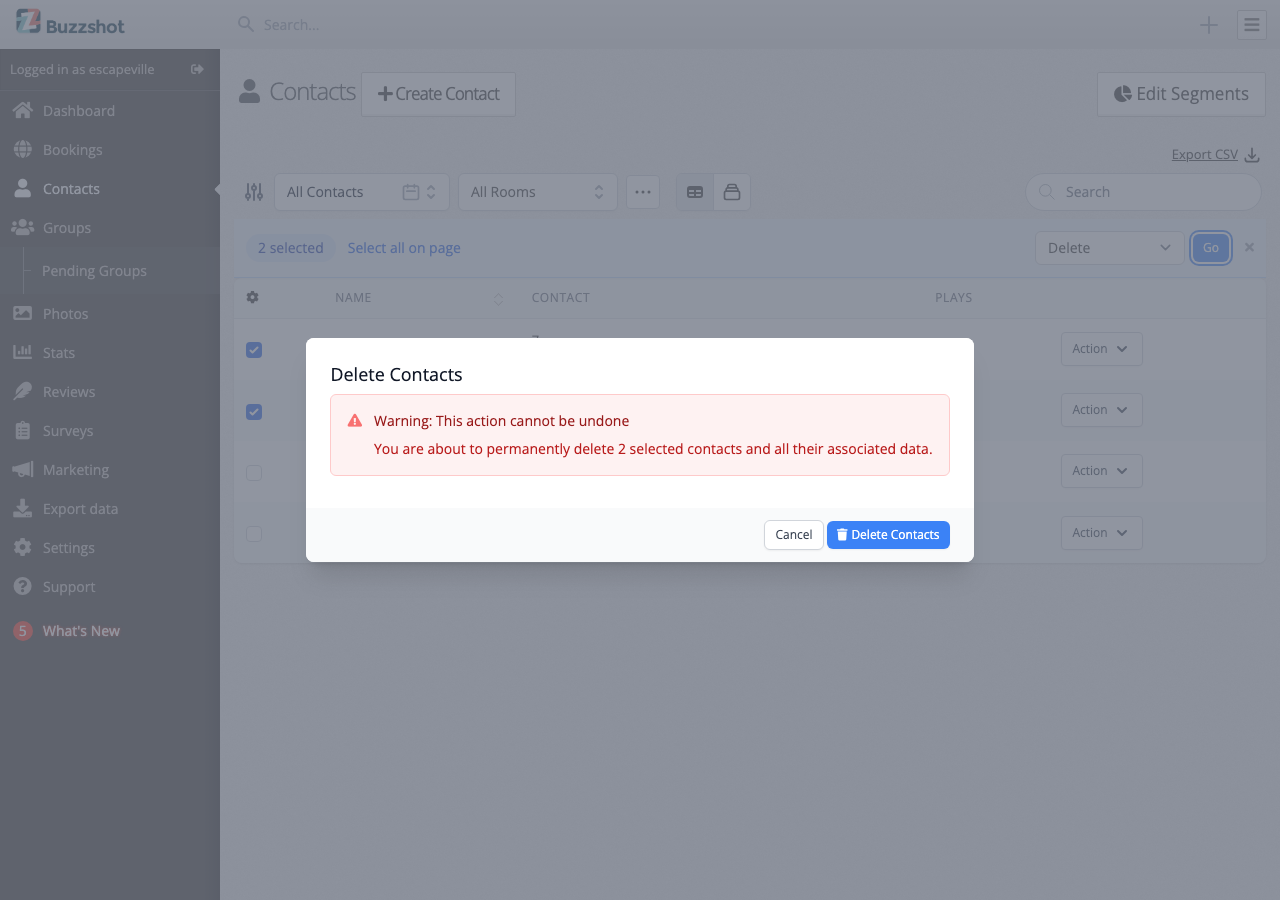
- Read the box that opens and confirm. Nothing changes until you do.
Actions for groups
- Complete: completes the selected groups and sends each team its photo and messages. See Complete groups in bulk.
- Archive: hides the selected groups and sends nothing. Use it for groups that never played. That article covers it too.
Actions for contacts
- Edit Tags: adds tags to the selected contacts, removes them, or both. See Tags.
- Unsubscribe: stops the selected contacts getting marketing emails.
- Delete: permanently deletes the selected contacts and their data. This also takes them off their past groups and any mailing lists, and it can't be undone.
Large lists
If an action would change more than 300 groups or contacts, or you would complete more than 100 groups, the box warns you that this is a large list. Once you confirm, the work happens in the background, so you can carry on using Buzzshot.
The changes may take a while to show up. Buzzshot doesn't tell you when it has finished, so refresh the page to see how far it has got. If some of the list hasn't changed after a while, select it and run the action again. Anything already done is left as it is.