Complete groups in bulk
If you have many groups waiting, you can complete them together instead of one at a time. Buzzshot sends each team its photo and messages, just as it does when you complete a single group.
Bulk complete doesn't let you enter game details for each group, such as whether they won, their time or their hints. If you want to record those, complete each group on its own instead.
How to complete groups in bulk
- In the side menu, go to Groups > Pending Groups.
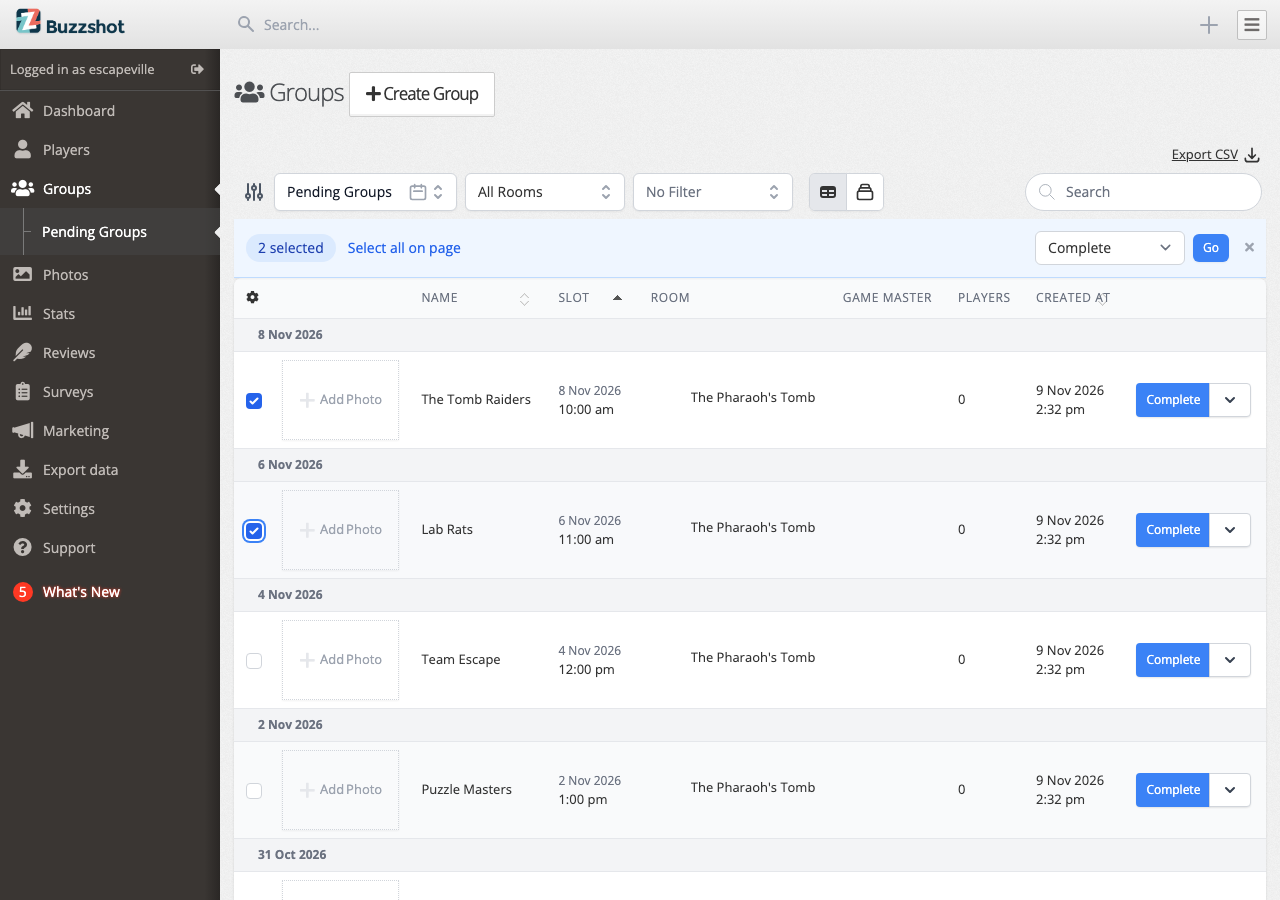
- If you see cards, click the table button next to the filters. The tick boxes only show in table view.
-
Tick the groups you want. A blue bar appears at the top of the list.
-
To choose more, click Select all on page. To choose every group that matches your filters, on every page, then click Select all matching items.
- Choose Complete from the menu in the bar and click Go.
-
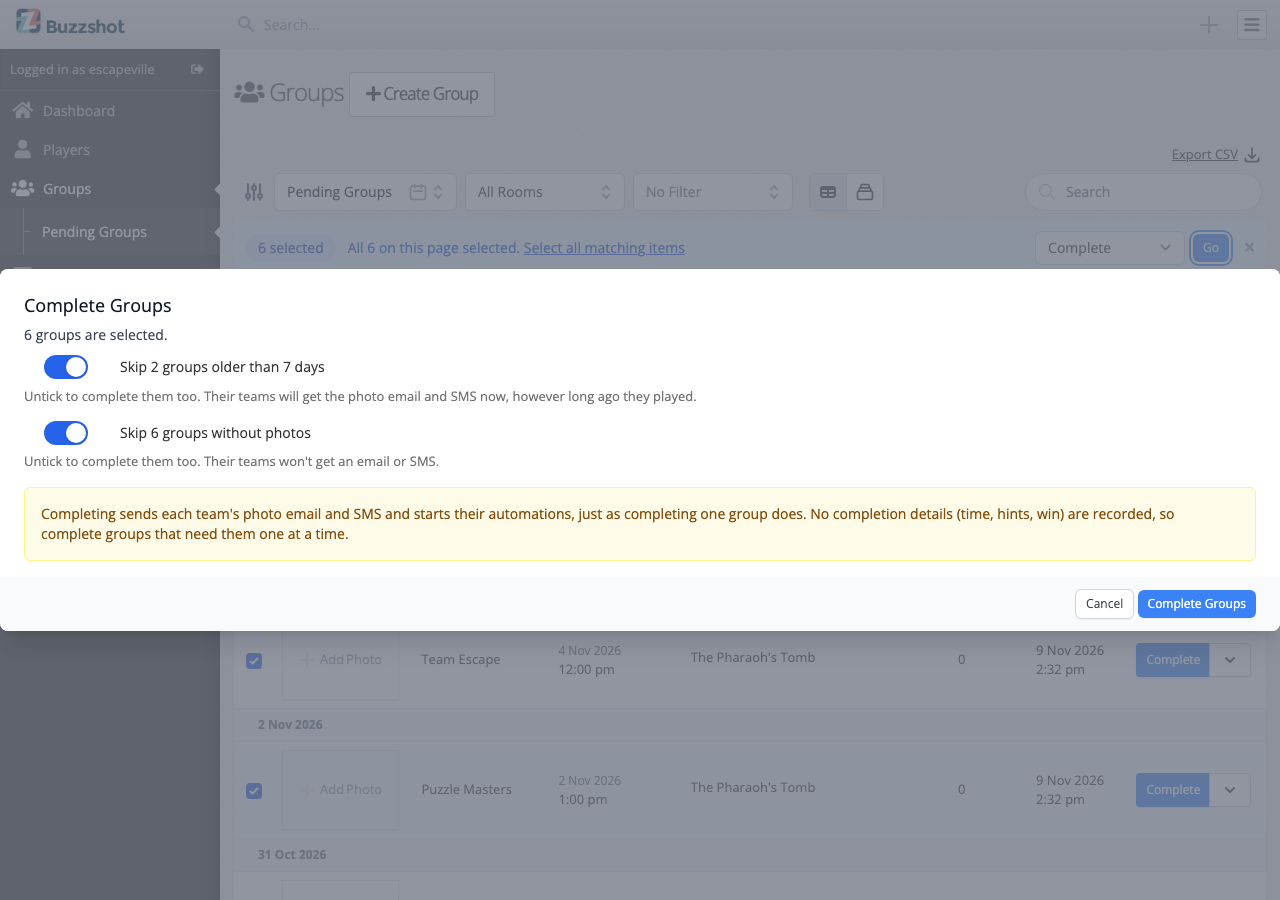
Read the box that opens, then click Complete Groups.
What gets sent
Each team gets its photo email and SMS, and any automations that use the Group completed trigger start. You can't recall these once they have gone, so check your selection first.
Which groups are skipped
Buzzshot always skips groups that are already complete, archived groups, events, and groups whose game is still to come, including games later today.
Two more kinds of group are skipped unless you say otherwise. Each has a switch in the box, on by default, which only shows when your selection includes such groups:
- Skip groups older than 7 days: a team that played weeks ago would get its photo email now, so these are left out unless you turn the switch off.
- Skip groups without photos: the box tells you whether these teams would still get an email or SMS if you turn the switch off.
The box shows how many groups will be skipped and why, and the message afterwards repeats it.
Completing more than 100 groups
If you would complete more than 100 groups, the box warns you that this is a large list. Once you confirm, the work happens in the background, so you can carry on using Buzzshot.
The groups may take a while to show as complete. Buzzshot doesn't tell you when it has finished, so refresh the page to see how far it has got. If some haven't changed after a while, select them and run it again. Groups already complete are skipped, so no team gets its messages twice.
Archive groups that never played
Don't complete a group if the team never played, because that sends them their messages. Archive it instead, which hides it and sends nothing:
- Tick the groups in the same way.
- Choose Archive from the menu in the bar and click Go.
- Click Archive Groups.
Buzzshot skips completed groups and events. Archive doesn't skip upcoming bookings, so check the dates in your selection.
To bring a group back, choose Archived Groups in the filter on the Groups page, open the group's menu and choose Unarchive.
If you can't see Complete
Some accounts limit who can complete groups. If the menu only offers Archive, your login doesn't have the Complete groups or events permission. See User permissions.