Outlook Is Rejecting Some Email From Domains Without DMARC. Here’s What Escape Rooms Need to Do
Posted in Escape Room Business Management by Mairi Nolan on Wed 11 November 2026
If you send emails under your own domain name such as bookings@yourverycoolescaperoom.com, or your players with a Hotmail or Outlook email address recently reported not receiving emails, then here are some things you need to know.
As reported by MailRoute, since November 5th, 2026, Microsoft’s consumer mail service has been rejecting some email from domains that don’t publish a DMARC record. Those domain names include:
Many escape room owners might not even have realised this is happening, but thankfully, the fix is a lot more straightforward than it sounds. You need to add something to your DNS record. If you’re a Buzzshot user, you’ll have already heard from us, but here’s our support desk article covering the setup.
If you’re a Buzzshot user, we’ve added mitigations to make sure you’re impacted as little as possible. But in case you’re not yet, here’s a full article to break down exactly what happened and how you might be able to fix it.
So what is actually happening?
When you send an email from your own domain, for example bookings@yourverycoolescaperoom.com, receiving providers want proof it’s genuine. This is by and large a very good thing we want to happen! There are three records that provide that proof:
- SPF lists the servers allowed to send email for your domain
- DKIM adds a digital signature to each message
- DMARC tells the world what to do if either of the first two are missing or invalid
For escape rooms that send bulk marketing emails, Microsoft has been asking for this for a while so it may not affect you. However if you’re sending regular, transactional emails, the new rules affect you the most.
What’s happening is some emails are bouncing, they seem to be rolling it out slowly across different domains. So it may not have stopped working for you yet but once it does your emails won’t go through. When an email is rejected, the sender will see a bounce, but the player won’t see anything at all.
At your escape room, this might be affecting any of the following emails:
- Booking confirmations and reminders
- Waiver links
- General marketing emails
- Team photos and post-game emails
- Review requests
- Replies to enquiries
- Staff scheduling emails
- Internal emails
- Services sending emails on your behalf
If you’re a Buzzshot user, your emails will still be getting through as we’ve added in mitigations to help with this. But if you’re not, it could lead to no shows, people not realising which of your venues their room is at, and a high volume of complaints. The issue doesn’t just affect marketing emails, but anything you send from your own domain name.
How to check if you’re affected
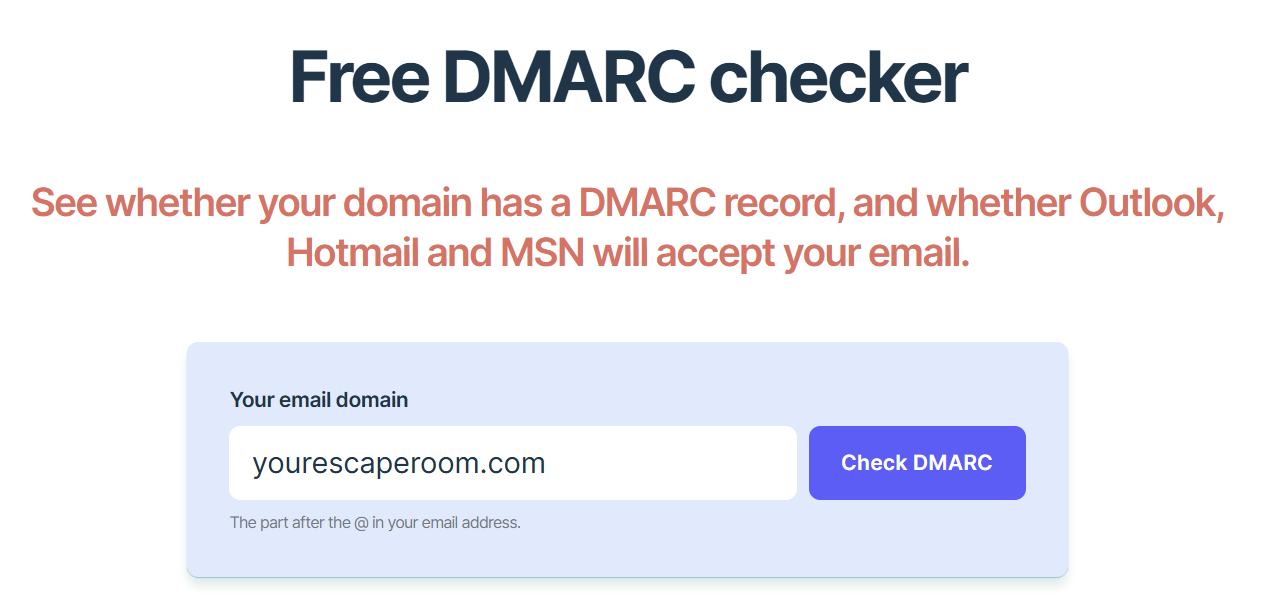
We’ve created a handy tool to check whether your domain name will be affected by this, which you can access here. Feel free to use this whether you’re a Buzzshot user, or not! It’ll work all the same.
Alternatively, if you are a Buzzshot user, you can go to Settings > Emails > Verify Sending Domains Sending Domains and look at the Status and DMARC policy columns:
- Missing DMARC (policy: No DMARC)
- You need to fix this! Read on, or head to our helpdesk article.
- Invalid DMARC
- You have a record, but it isn’t working as it should.
- Verified with a Green Tick (policy: None, Quarantine, or Reject)
- You’re absolutely fine! None is the name of the policy, and not a sign that DMARC is missing, so nothing to worry about.
If you’re not a Buzzshot user, you or your website manager can look up a domain’s DMARC record with free online DMARC checker tools. Alternatively, technical folk can run the following in a terminal:
dig +short TXT _dmarc.yourdomain.com
A line starting v=DMARC1 will mean you have a record, and if it returns no output means you don’t have a record.
How to fix it
Thankfully it’s straightforward to fix! You need to add a record to where your domain’s DNS is managed, which you can do so via the company you’ve bought the domain from. We’ve got a list of a whole host of handy tutorials, depending on who your provider is, over in our setup guide on the helpdesk article here. The steps are as follows:
1. First, check for an existing record. A domain can only have one DMARC record.
2. If there’s no record, add one:
Type: TXT
Name (or Host): _dmarc
Value (or Content): v=DMARC1; p=none;
TTL: leave the default
What we’re doing to respond at Buzzshot
As soon as we spotted the problem, we acted quickly!
First, we put down a mitigation for affected Buzzshot users - we began sending email through our own domain instead so it would get through, and we went through and resent the emails that failed. If any of your players missed emails, they should now have received them even if the domain name it’s sent from looks a little different from usual.
Then, we provided instructions and support so Buzzshot users can add the DMARC record to their own domains quickly. Many people thankfully have, and we’re happy to help anyone who is still stuck.
Once your record is in place, your emails should go out as they should and from your own domain name. But as always, please be sure to test this and if anything weird comes up you can reach out to us at any time by emailing support@buzzshot.com.
If you’ve read this far, please do pass this along to any other escape room owners you know - even if they’re not on Buzzshot! They may not realise it’s happening.
