Booking Roles & Qualifications
Booking roles and qualifications are the building blocks of Buzzshot's staffing. Setting them up tells Buzzshot what jobs your rooms need doing, and which of your team members are able to do them. Once they're in place, Buzzshot can work out who should be working each booking.
Staffing is a new, optional feature. If it isn't switched on for your account yet, get in touch and we'll enable it for you.
There are two simple ideas to understand: booking roles and qualifications.
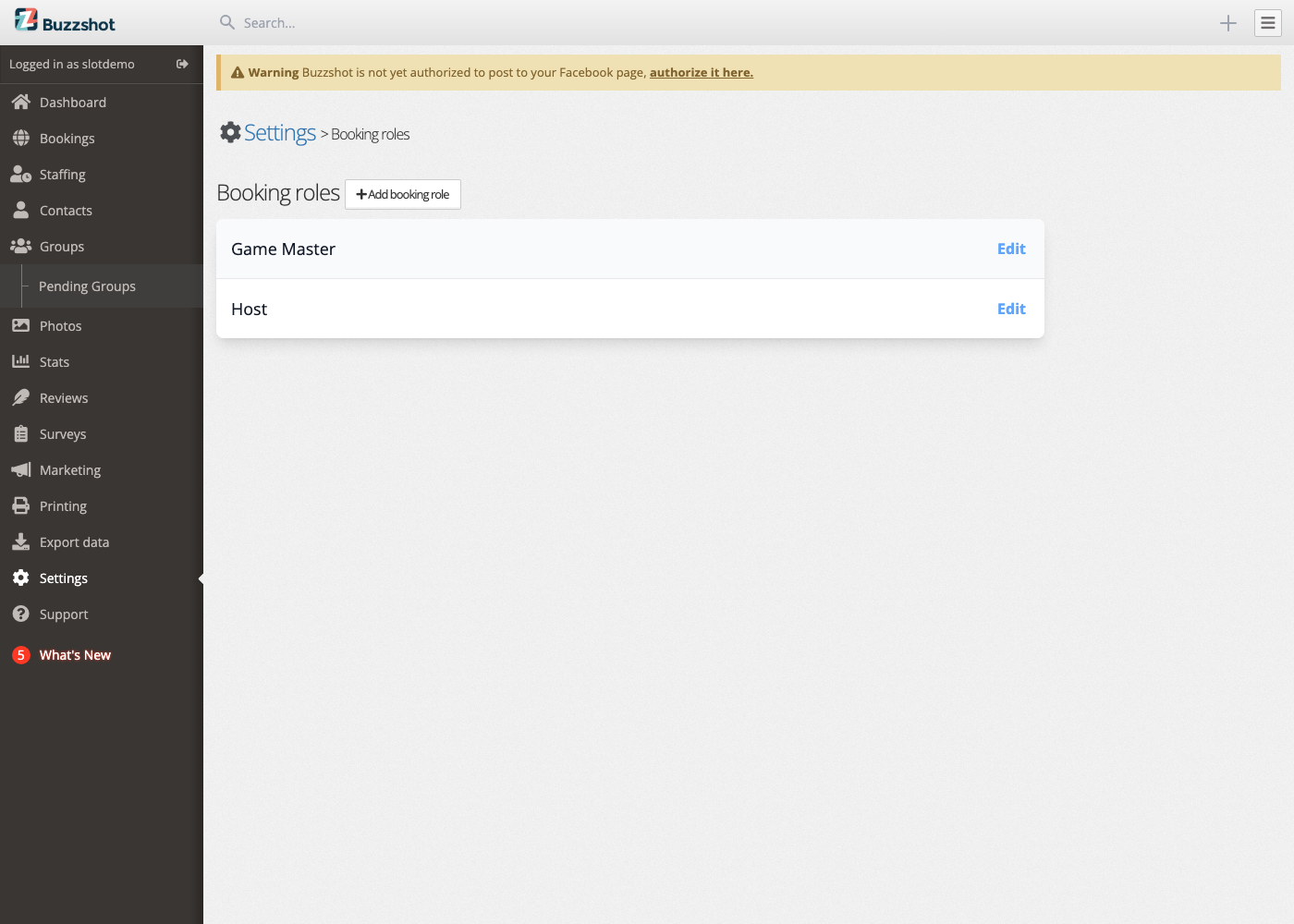
What Is a Booking Role?
A booking role is a job that someone does during a booking, for example a Game Master who runs the room, a Host who greets and briefs the players, or a Cleaner who resets the room afterwards.
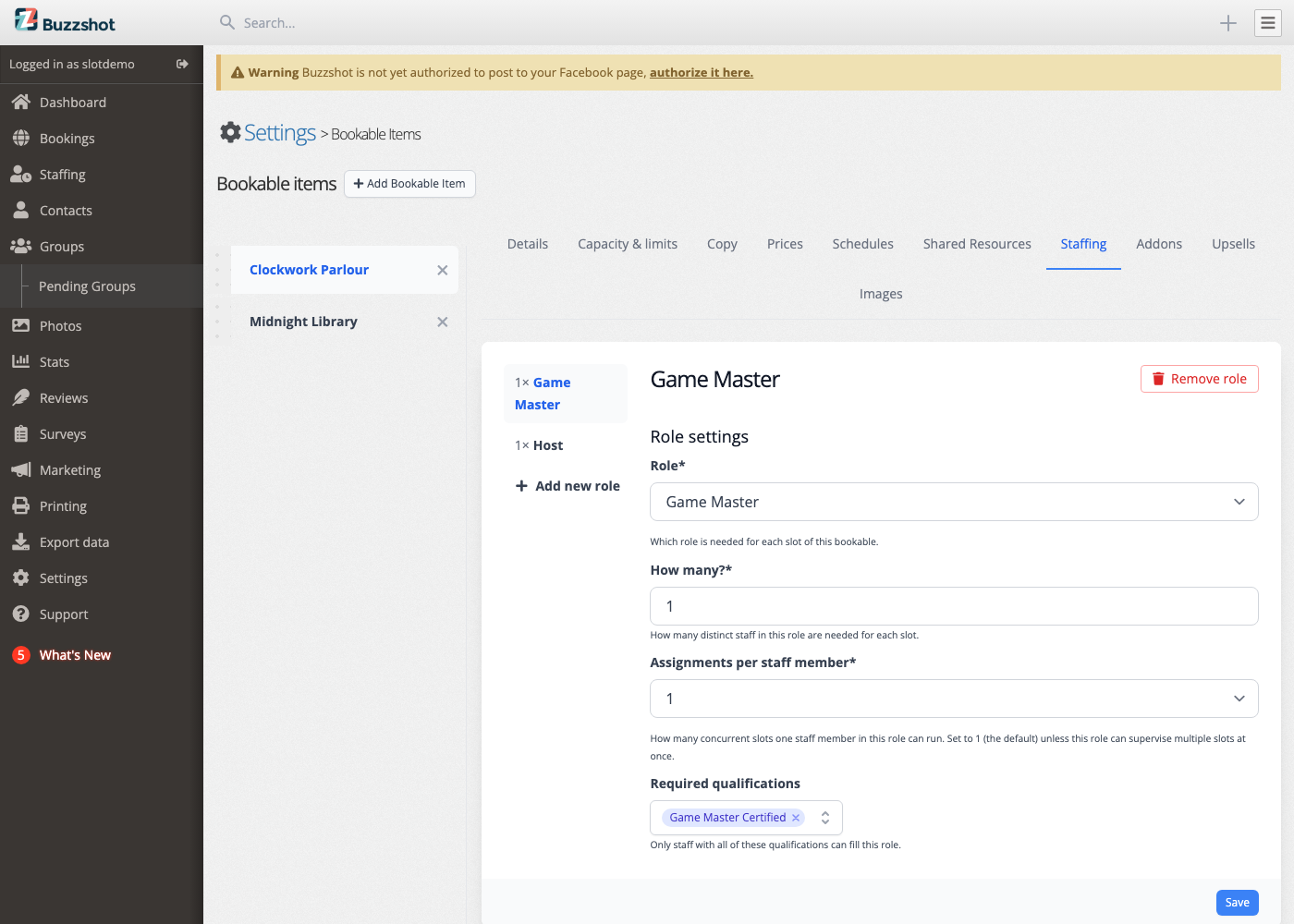
You create a booking role once, and then use it across all your rooms. Each room is set up to say how many of each role it needs, for example one Game Master and one Host per session. That per-room setup lives on the room's own Staffing tab, not here (see Setting Up Your Rooms and Games).
Note: Booking roles are the jobs your team does during a booking. They're different from the access-level "Roles" that control what someone can do in the admin (see User Logins and Access Levels), and from shift types, which say what a whole shift is for, such as Front desk or Cleaning.
What Is a Qualification?
A qualification is a capability tag, a way of marking that a staff member is trained or approved to do a particular kind of work. Examples might be "Game Master Certified", "First Aid", or "Opening Manager".
Qualifications do two jobs:
- You tag each staff member with the qualifications they hold (on the Staff Members page).
- You can mark a role on a room as requiring a qualification.
When a role requires a qualification, only staff members who hold that qualification can be assigned to it. This is how you make sure, for example, that only certified staff run your rooms.
You set which qualification a role requires on the room's Staffing tab. Here the Game Master role for this room requires the "Game Master Certified" qualification:
How It All Fits Together
These pieces work together to let Buzzshot assign the right people to each booking:
- You create your booking roles (Game Master, Host, Cleaner) here.
- You create any qualifications you need (like "Game Master Certified") here.
- On the Staff Members page, you tag each team member with the qualifications they hold.
- On each room's Staffing tab, you say how many of each role a session needs and, optionally, which qualification that role requires. See Setting Up Your Rooms and Games.
Once that's done, Buzzshot knows what every booking needs and who is able to fill each job, so it can build your schedule and assign staff to sessions.
Managing Booking Roles
Your booking roles live under Settings > Booking roles.
Creating a Booking Role
- Go to Settings > Booking roles.
- Click Add booking role.
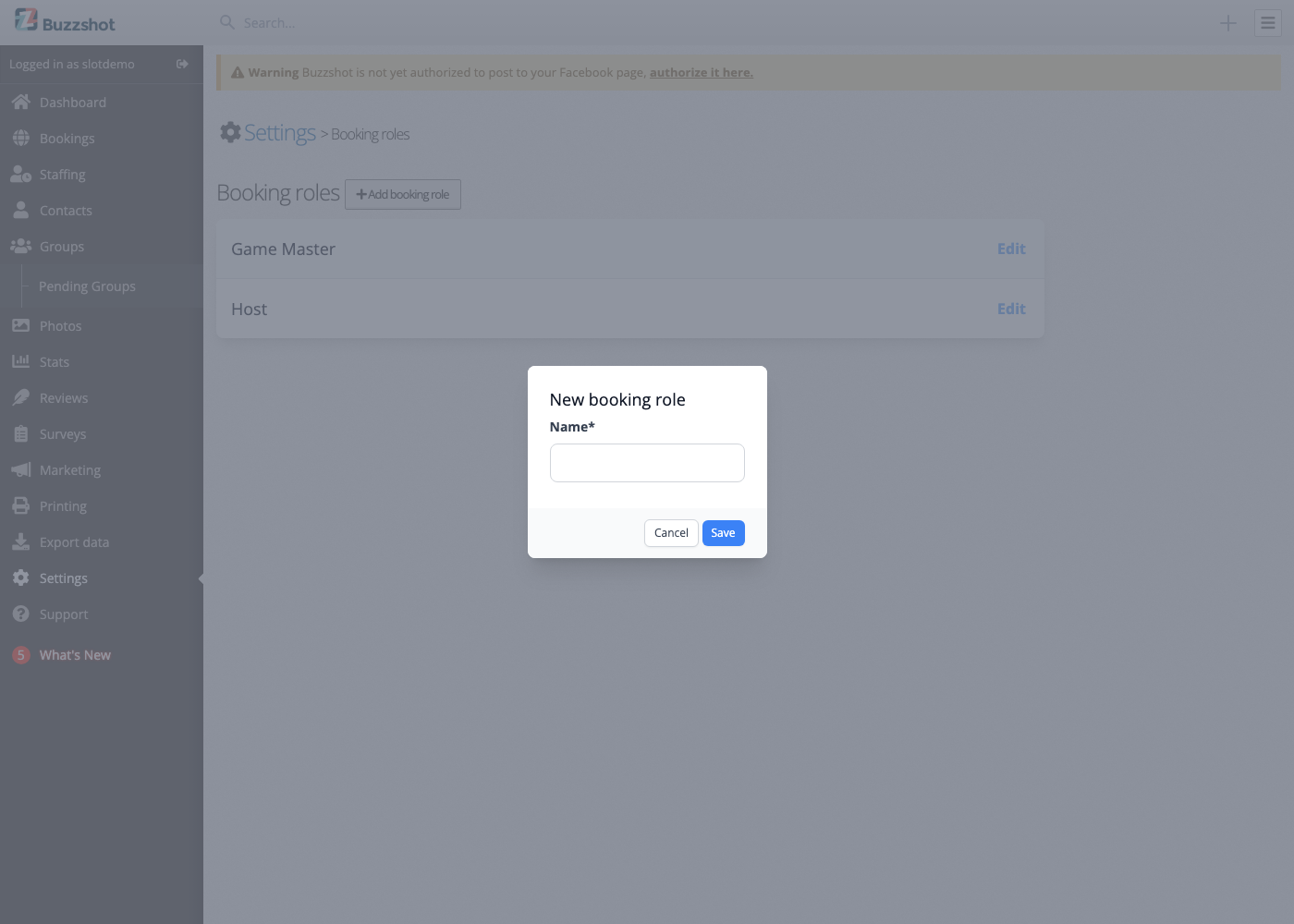
- Enter a Name: what this job is called, such as "Game Master", "Host", or "Cleaner".
- Click Save.
Repeat for each kind of job your rooms need. Most escape rooms start with a "Game Master" and perhaps a "Host".
Editing and Deleting a Booking Role
To edit a booking role, click Edit next to it and change its name. To delete one, open it and choose the delete option.
Note: A booking role that is currently in use by a room can't be deleted until it's no longer used. If Buzzshot won't let you remove one, go to your rooms' Staffing tabs and remove the role there first.
Managing Qualifications
Your qualifications live under Settings > Qualifications.
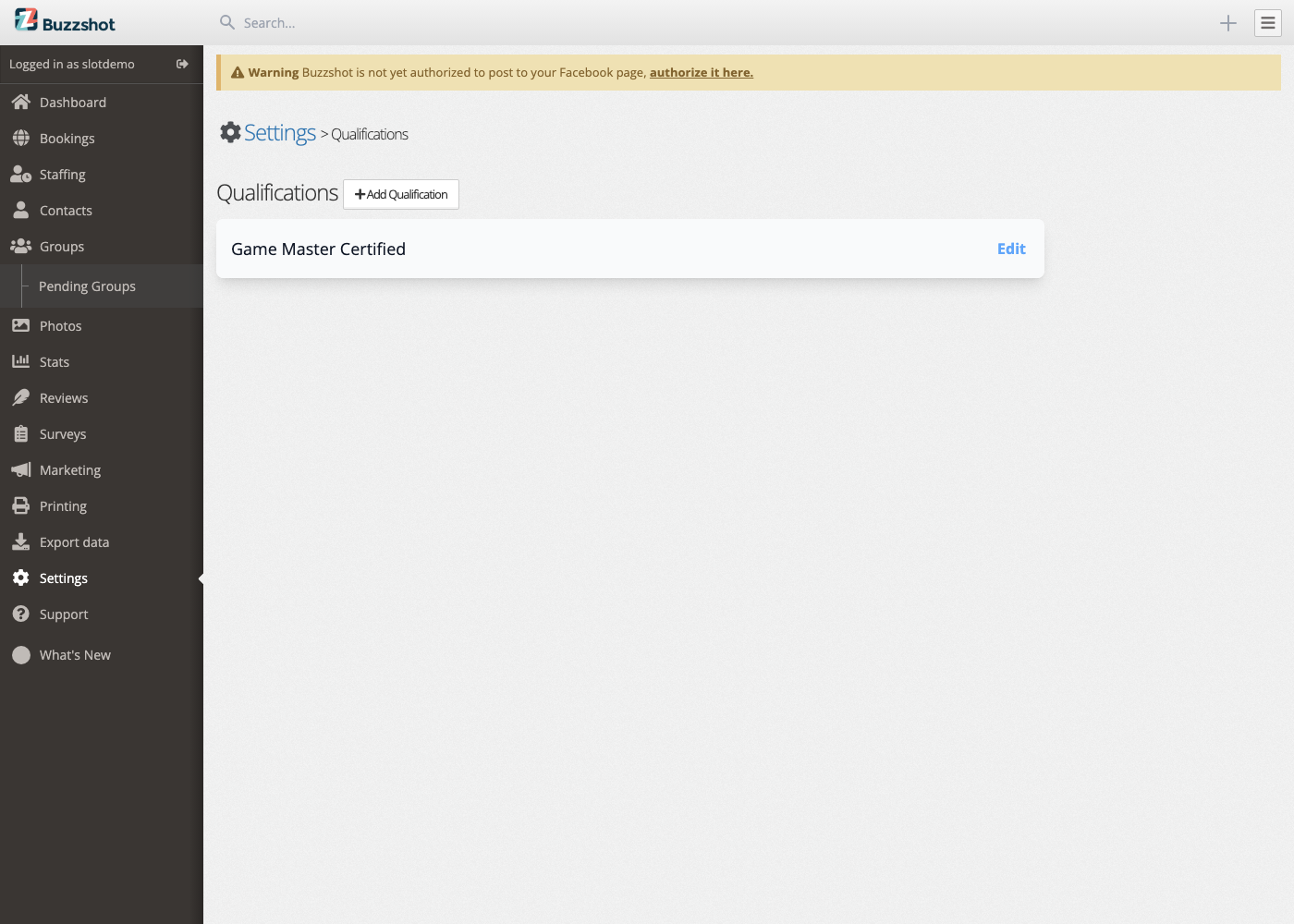
Creating a Qualification
- Go to Settings > Qualifications.
- Click Add Qualification.
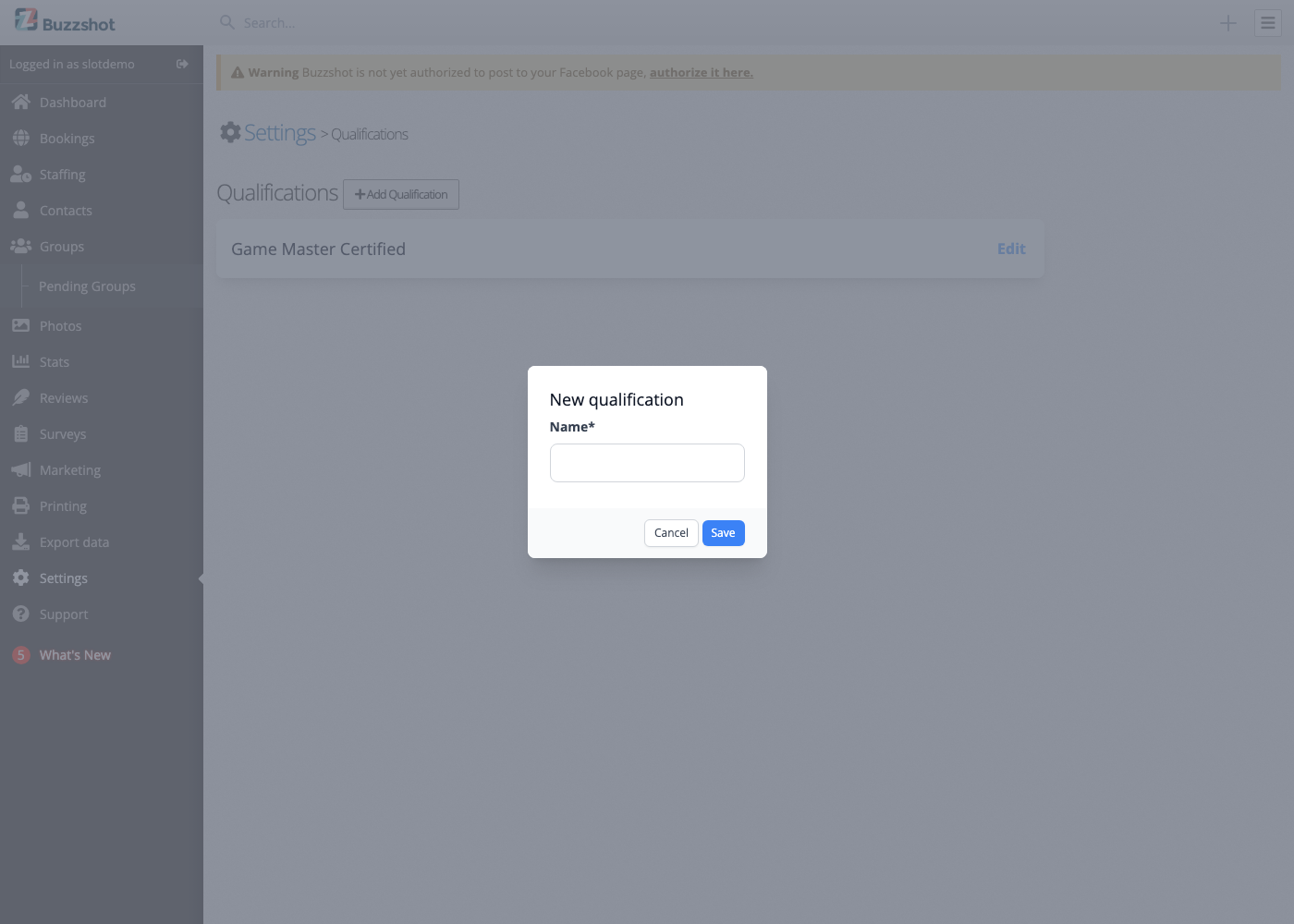
- Enter a Name that describes the capability, such as "Game Master Certified".
- Click Save.
Editing and Deleting a Qualification
To edit a qualification, click Edit next to it and change its name. To delete one, open it and choose the delete option.
Note: As with booking roles, a qualification that a room currently requires can't be deleted until it's no longer used. Remove it from your rooms' Staffing tabs first, then delete it here.