Staffing: an Introduction
Staffing helps you schedule your team and get the right people onto every booking. You roster staff onto shifts, tell each room which roles it needs, and Buzzshot automatically works out who covers each booking. You can see at a glance whether every session is properly staffed.
This article gives you the big picture, with a link to a more detailed guide for each part.
Staffing is a new, optional feature. If you don't see a Staffing item in your main menu, it isn't switched on for your account yet. Get in touch with us and we'll enable it for you.
How Staffing Fits Together
There are four parts to Staffing. Set them up roughly in this order:
- Define the jobs. Set up your Booking roles (like Game Master, Host, or Cleaner) and Qualifications, then tell each room how many of each role a booking needs. If some shifts aren't for running games, such as front desk or cleaning, set up Shift types for them too.
- Add your people. Create a record for each team member on the Staff Members page, and give them the qualifications for the jobs they can do.
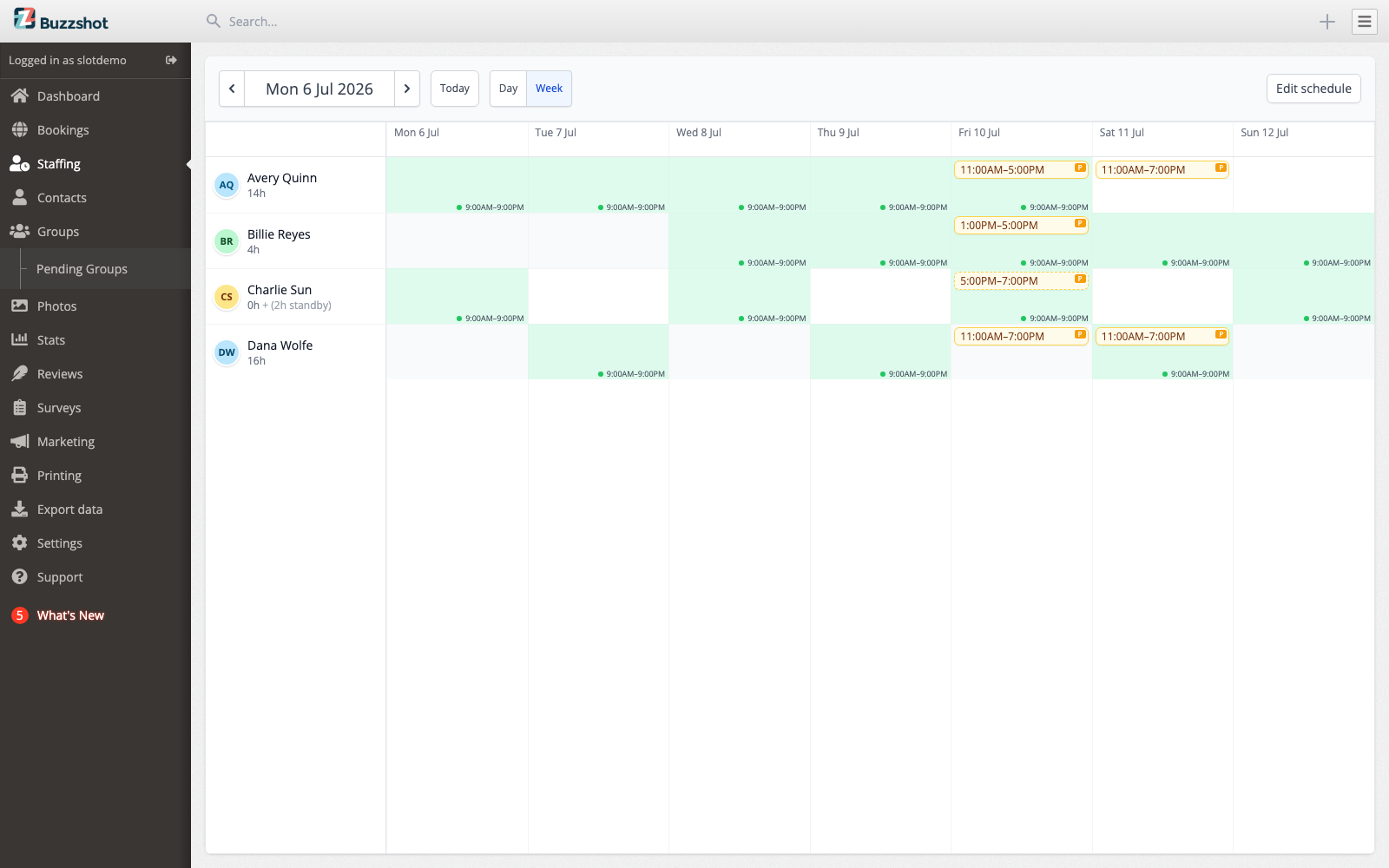
- Roster shifts. Use the staffing calendar to schedule who is working when, then publish the schedule so your team can see it.
- Staff the bookings. Buzzshot uses your published shifts to fill each booking's roles automatically. You can also assign people by hand from the bookings calendar.
Your team then has their own pages to confirm shifts, set their availability, and clock in and out.
The Building Blocks
A few terms are worth knowing before you start:
- Staff member: A person you can put on shifts and assign to bookings. See Staff Members.
- Booking role: A job someone does during a booking, such as Game Master, Host, or Cleaner. Rooms are set up to need a certain number of each. See Booking Roles & Qualifications.
- Qualification: A tag that marks which booking roles a staff member is trained to cover. A staff member can only fill a role they're qualified for. See Booking Roles & Qualifications.
- Shift: A block of time a staff member is scheduled to work, shown as a bar on the staffing calendar. Each shift is either Rostered (a normal working shift) or Standby. See Rostering Shifts.
- Shift type: A named kind of shift, such as Front desk or Cleaning. It decides which bookings a shift can staff, if any. A shift with no type is a Default shift and can staff any booking. See Shift Types.
- Standby: A backup shift. The staff member is only called on when everyone on a Rostered shift for that time is already busy.
- Coverage: Whether a booking has all the staff it needs. Buzzshot shows this as Fully staffed, Standby cover only, or Not fully staffed.
Defining Booking Roles & Qualifications
Start by describing the work. Booking roles are the jobs a booking needs done: Game Master, Host, Cleaner, and so on. Qualifications control who is allowed to fill each role. Once these are set up, you tell each room how many of each role a booking requires.
Booking Roles & Qualifications →
If some of your shifts aren't for running games, such as front desk or cleaning, set up shift types for them. A shift type names the shift on the schedule and decides which bookings, if any, its staff can be assigned to.
Setting Up Your Team
Next, add your people. On the Staff Members page you add everyone who works in your rooms, decide whether each person can also sign in to Buzzshot, and record the qualifications that say which jobs they can do.
Rostering Shifts
The staffing calendar is where you schedule who's working. Add shifts to your team members day by day or week by week, mark some as standby backup, and set a priority so Buzzshot knows who to reach for first. Your changes stay as a draft until you publish them, so you can plan the week before anyone sees it.
Staffing Your Bookings
Once shifts are published, Buzzshot fills each booking's roles automatically from the people on shift, choosing those who are qualified and available. On the bookings calendar you can see each session's team and coverage at a glance, and step in to assign or swap people by hand whenever you need to.
Optionally, you can let your rota decide what customers are offered, so a session you have nobody to run stops selling.
What Your Team Sees
Your staff get their own pages to manage their work. They can confirm or decline the shifts you've rostered, set the days and times they're available, and clock in and out so you can keep track of hours worked.